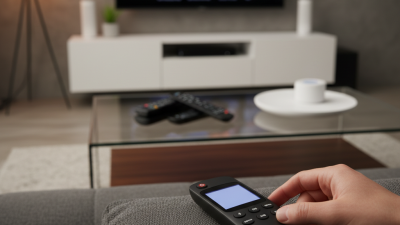
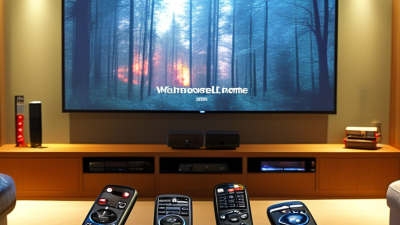
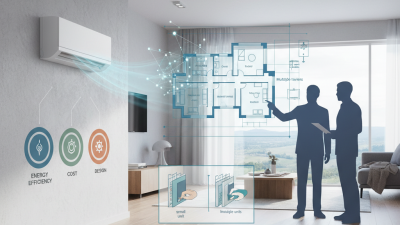
Choosing the best universal remote control in 2026 requires more than counting buttons or trusting attractive product photos. A reliable model should operate your television, streaming box, soundbar, and possibly smart-home devices without creating daily frustration. This guide examines compatibility, setup methods, button layout, voice features, battery life, and long-term support. It focuses on practical use, not impressive specifications alone.
I have found that a remote can feel excellent in a store but awkward on a dark sofa at night. Small details matter. Backlit buttons help, while unclear labels slow every action. A strong signal should reach devices from several seating positions. Setup should also be understandable when the manual is not nearby. Some models require an app, Bluetooth pairing, or an account. That may be acceptable, but it adds another step.
Real homes are rarely simple.
This 2026 buying guide compares different remote styles for families, older users, renters, and home-theater enthusiasts. It considers current streaming platforms, infrared equipment, wireless connections, and software updates. Compatibility lists can change, so readers should confirm device support before purchasing. Reviews and manufacturer claims are useful, yet neither replaces hands-on testing. I will also discuss weaknesses, because every universal remote control has trade-offs. A premium model may offer smoother automation but cost more than a basic replacement remote. An inexpensive option may work immediately but lack future updates. The right choice depends on your equipment, habits, patience, and budget. Even experienced buyers can overlook one detail: ease of use after setup.
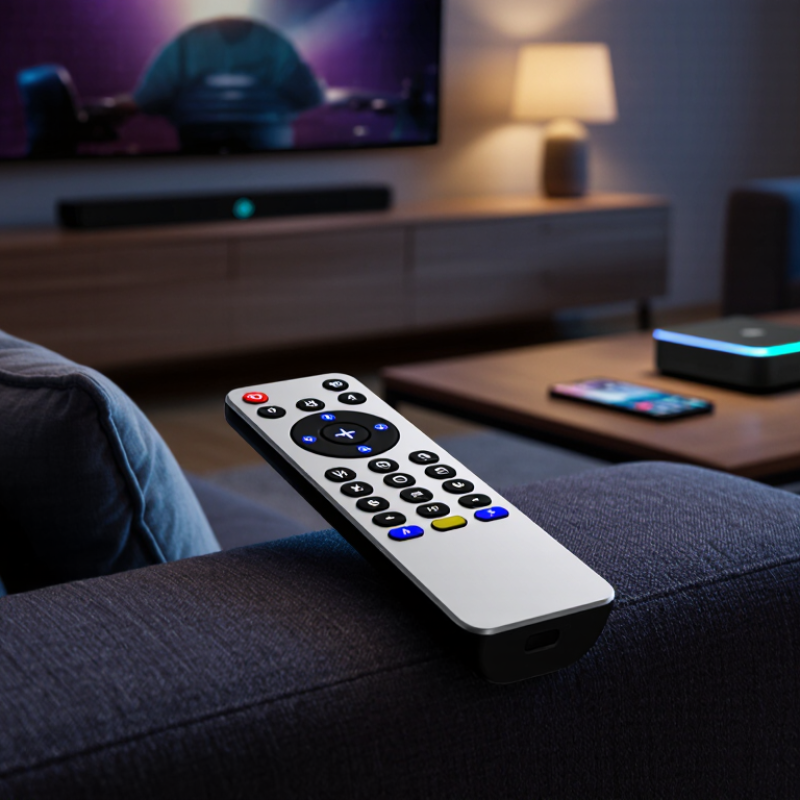
A universal remote control is a handheld device designed to operate several home entertainment products. It can replace separate remotes for a television, media player, sound system, or streaming device. Most models send infrared signals through a small front transmitter. The remote converts a button press into a coded command, such as volume up or power off. The receiving device reads that code and responds.
Some newer remotes use radio frequency or Bluetooth instead. These signals can pass through furniture, unlike ordinary infrared. During setup, you may enter a device code, scan a code list, or let the remote learn commands from an original controller. Keep both remotes facing each other, about three centimeters apart, during learning. Small details matter. Weak batteries can interrupt the process.
A remote may control basic functions but miss special menu keys or voice features. I recommend testing power, input selection, volume, navigation, and playback before storing the original remote. Labeling unused buttons can also reduce confusion in a dark room. It sounds minor.
The most reliable choice depends on your equipment and signal type. Check the remote’s device database, learning range, and update method before buying. Some setup guides are unclear, and that can make a simple task frustrating. A careful trial remains necessary.
A 2026 universal remote should manage televisions, streaming boxes, sound systems, and smart-home devices reliably. Compatibility remains the first test. Check support for infrared, Bluetooth, and radio-frequency signals before buying. Infrared handles older equipment, while Bluetooth improves control through cabinet doors. Radio-frequency support can reach devices in another room.
Setup quality matters just as much. Look for automatic device detection, clear on-screen instructions, and editable activity buttons. A useful macro can turn on the screen, select an input, and adjust volume with one press. Deloitte’s 19th Digital Media Trends report, published in 2025, found that 47% of consumers had canceled a streaming service within six months. Service changes are common. Therefore, firmware updates and simple reprogramming deserve serious attention.
Control should also feel comfortable after repeated use. Choose backlit buttons, readable labels, tactile volume keys, and a stable grip. Voice control can help, but it should not replace physical controls. Privacy settings need careful review when a remote uses microphones or cloud services. The Consumer Technology Association’s 2025 ownership study identifies televisions and connected devices as major household technology categories. That trend increases the value of broad compatibility, but it also increases setup complexity. I still prefer fewer buttons. Some manufacturers add too many. Battery life, repairability, and connection speed can expose weaknesses during everyday testing. No remote is perfect. Check those details before trusting the specification sheet.
2026 Best Universal Remote Control Buying Guide
Compatibility matters more than button count. Deloitte’s 2024 Digital Media Trends report found that 92% of U.S. households use at least one paid streaming video service. Your remote should control streaming menus, playback, volume, and input switching without forcing repeated device changes.
Check the connection methods carefully. Infrared handles many televisions and audio systems, while Bluetooth supports streaming players and some consoles. Wi-Fi control may be necessary for smart home scenes, lighting, or thermostats. HDMI-CEC can simplify switching, but its behavior varies between devices. Test this before buying.
The smart home is expanding quickly. IoT Analytics reported 18.8 billion connected IoT devices worldwide in 2024. That scale makes compatibility lists essential, not optional. Look for support across your exact operating system, device generation, and network type. Voice control can help, but it may not replace precise console commands. I have found that “universal” often means “widely supported,” not truly universal. No list is perfect.
A practical setup should include a television, streaming device, console, sound system, and two smart home accessories. Confirm every device before purchase. Then test power, volume, navigation, app launching, and activity shortcuts. Keep the receipt. You may need it.
| Device Category | Most Common Control Method | Compatibility Conditions | Functions Usually Available | Important Limitations | Buying Check |
|---|---|---|---|---|---|
| Televisions | Infrared (IR); some models also use Bluetooth or network control | The remote must contain the correct device code or support learning from the original remote | Power, volume, input selection, channel navigation, menus, playback, and basic smart-TV navigation | Voice search, motion controls, app shortcuts, and advanced menus may not work | Confirm code-database coverage, learning capability, and whether Bluetooth pairing is required |
| Streaming Media Players | Bluetooth, radio frequency (RF), infrared, or HDMI-CEC | Compatibility depends on the device interface and whether the remote supports pairing or network integration | Navigation, select, back, playback, volume, power, and application launching | Dedicated voice, shortcut, pointer, and motion features may be unavailable; IR requires line of sight | Look for Bluetooth or RF support when the device is hidden inside a cabinet |
| Game Consoles | Bluetooth, proprietary wireless protocols, HDMI-CEC, or limited IR | The console must support media-remote control, HDMI-CEC, or an approved paired accessory | Power, media playback, menu navigation, and streaming application control | A universal remote is not a replacement for a game controller and normally cannot control gameplay | Verify media-control support and pairing requirements before purchase |
| Soundbars and AV Receivers | Infrared, HDMI-CEC, or network control | The remote needs the correct audio-device code or must learn commands from the original remote | Volume, mute, input, power, sound modes, and basic playback controls | Multi-zone audio, equalizer settings, and advanced surround functions may require the original remote | Check the number of independently programmable device buttons and macro support |
| Blu-ray and DVD Players | Infrared | The correct code set or a learning function is required | Power, play, pause, stop, scan, chapter navigation, disc menus, and input selection | Rare or model-specific functions may not be mapped to standard buttons | Choose a model with learning mode if the player is older or uncommon |
| Cable, Satellite, and Set-Top Boxes | Infrared, RF, or Bluetooth | The service box must accept third-party remote commands or support HDMI-CEC | Channel changes, guide, navigation, recording controls, playback, volume, and power | Voice search, dedicated service buttons, and operator-specific functions may be missing | Check compatibility with the exact receiver model and service generation |
| Projectors | Infrared; some newer units use Bluetooth or network control | The remote must support the projector's command set and connection method | Power, input, navigation, menu access, volume, and basic image controls | Lens shift, keystone, calibration, and installation settings may not be supported | Confirm the projector's infrared code compatibility and required operating distance |
| Smart Lighting | Wi-Fi, Zigbee, Z-Wave, Thread, Bluetooth, or an infrared bridge | A compatible smart-home hub, bridge, or cloud integration is normally required | On/off, dimming, scenes, and room-level activity controls | A standard IR-only remote cannot directly control most networked light bulbs | Select a remote with documented hub support and local-control capability if internet outages matter |
| Smart Plugs and Switches | Wi-Fi, Zigbee, Z-Wave, Thread, or hub-based automation | Direct control requires a supported ecosystem or a compatible automation hub | On/off commands, scenes, and activity-based automation | Energy monitoring, schedules, and advanced rules may not be exposed on the remote | Verify protocol support, hub requirements, and whether the remote needs an internet account |
| Thermostats and Climate Devices | Wi-Fi, proprietary RF, or smart-home hub integration | The thermostat must expose compatible commands through a supported platform or bridge | Temperature adjustment, mode selection, fan control, and preset activation | Scheduling, occupancy sensing, and installation settings usually remain in the dedicated app | Check platform integration and safety-related control restrictions |
| Home Automation Hubs | Wi-Fi, Ethernet, Zigbee, Z-Wave, Thread, Bluetooth, or cloud API | The remote must integrate with the same hub, platform, or automation service | Scenes, routines, room control, device grouping, and activity triggers | Cross-platform support varies, and cloud-dependent features may fail during outages | Review supported standards, integrations, privacy controls, and offline operation |
| Computers and Media Centers | Bluetooth, RF receiver, USB receiver, network control, or infrared adapter | The operating system or media application must recognize the remote's input commands | Playback, volume, navigation, application launching, and basic keyboard commands | Full keyboard input, gaming controls, and application-specific shortcuts may require a separate device | Check driver support, receiver inclusion, programmable buttons, and operating-system compatibility |
| Multi-Device Home Theater | A combination of IR, Bluetooth, RF, HDMI-CEC, and network control | Each component must be supported individually, with optional activity or macro programming | One-button activities such as Watch TV, Stream Video, Listen to Music, and Power Off | Mixed protocols can create delays, missed commands, or incomplete device-state feedback | Prioritize device-state awareness, reliable macros, firmware updates, and easy reprogramming |
2026 Best Universal Remote Control Buying Guide
Choosing the right universal remote starts with your actual setup, not the number of buttons. List every device you operate, including the television, streaming player, sound system, and game console. Check whether each device uses infrared, Bluetooth, radio frequency, or HDMI-CEC. A remote supporting only infrared may control older equipment well but struggle with hidden devices.
I recommend checking the compatibility database before purchasing. Confirm the exact model numbers, not just the device categories. Look for regular firmware updates and clear setup instructions. During testing, I place the remote on the sofa and try common tasks, such as changing inputs, adjusting volume, and opening a streaming menu. If these actions require several confusing steps, daily use becomes frustrating. Keep it simple.
Consider the layout, screen visibility, backlighting, and button texture. A strong remote should feel comfortable in one hand and remain usable in dim lighting. Macros can combine several commands, but they sometimes fail when devices respond slowly. I learned this after creating a “watch TV” shortcut that occasionally selected the wrong input. Reliable remotes should allow manual corrections without restarting the setup. Check battery life, warranty terms, accessibility options, and whether settings can be restored after an update. Fancy features help only when they work consistently.
Typical nominal indoor operating ranges by control technology. Use this comparison to match a remote with your room size, device location, and line-of-sight requirements.
Infrared usually requires a clear path to the device, while Bluetooth and 2.4 GHz radio-frequency control can work without direct line of sight. Wi-Fi-based control depends on the quality and coverage of the home network rather than a fixed remote distance.
A universal remote should simplify your room, not create another technical chore. Before setup, list every device you use, including older receivers and streaming boxes. Check battery type, connection method, and required line of sight. Place the remote where your hand naturally rests. This small detail matters during late-night viewing. Label unused buttons with removable notes. It feels untidy, but it prevents confusion during the first week.
Programming usually begins with an automatic device search or a supplied code list. Test power, volume, input, playback, and navigation separately. Do not assume one successful command proves full compatibility. Some devices respond slowly, so adjust command delays carefully. Activity buttons can combine several actions, such as turning on a display and selecting an input. Keep these sequences short. I have sometimes added too many steps, making a simple routine unreliable. That mistake is easy to repeat.
Tips: Record working codes in a notebook. Test from different seats. Replace weak batteries early. Keep the original controls nearby during setup.
Everyday use reveals weaknesses that specifications cannot show. Backlit buttons help in a dark room, while raised shapes support touch-based operation. Family members may prefer direct buttons over complex menus. Program a recovery command for common failures, such as a missed input change. Clean the surface regularly, especially around frequently pressed keys. Review your setup after a month. Your first arrangement may look logical, yet feel awkward in real use.